What's new in QuickBooks Desktop for Windows 2018
This article outlines the features introduced in QuickBooks Desktop Pro and Premier 2018, QuickBooks Desktop Enterprise 18.0 and QuickBooks Desktop Payroll.
QuickBooks Desktop Pro and Premier
Multi-Monitor Support
Increase your productivity significantly with Multi-Monitor support which allows you to use QuickBooks Desktop on up to three monitors. Now you can place your customer list on one screen while creating invoices on the second or third. Tailor your monitor setup to your work style and gain more insights from being able to view more reports at the same time.
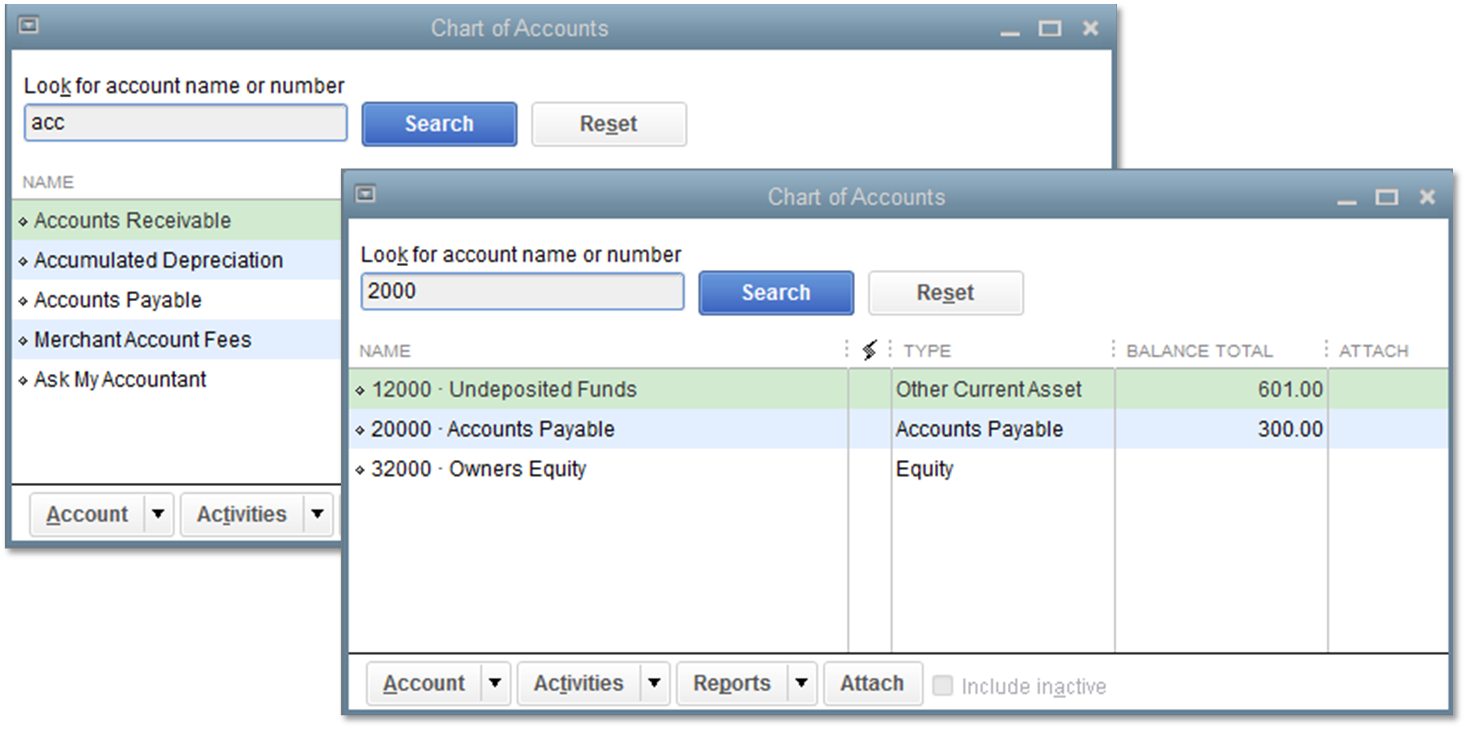
Search in Chart of Accounts
Find an account or sub-account faster with an added search bar in the Chart of Accounts. You can search by account name or account number making large Chart of Accounts easier to manage.
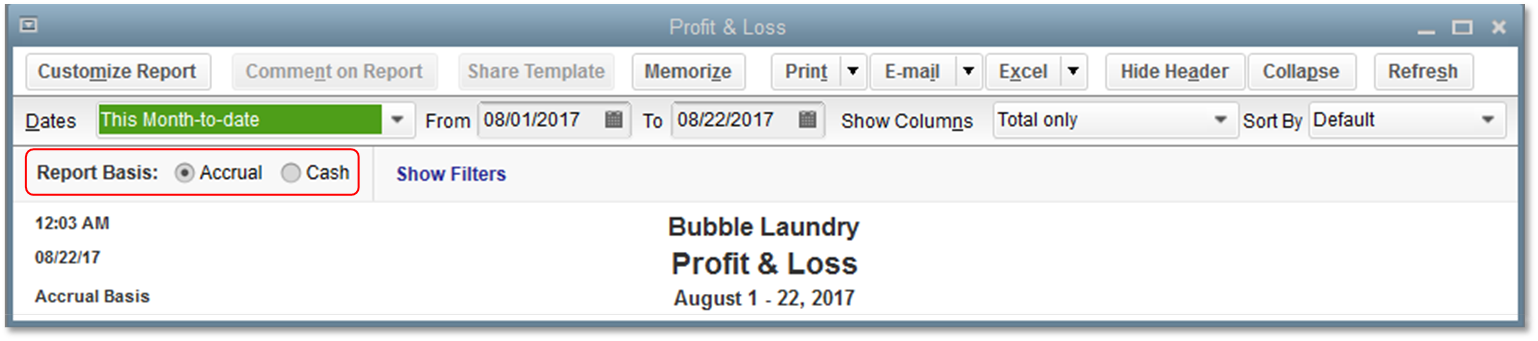
Cash/Accrual Toggle
Analyze your business from different angles in the same report. With just one click in the report window you can switch to a cash or accrual basis and easily switch back and forth between the two. It’s great for accountants or businesses that report in one basis and file taxes in another.
Note: This feature is not available on all reports.
Past due stamp
Get customers to pay you faster with a Past Due stamp for invoices. QuickBooks can automatically add a past due notice on overdue invoices for emailing or printing. If you don’t want to add the notice to a specific invoice, simply toggle the notice off with one click.
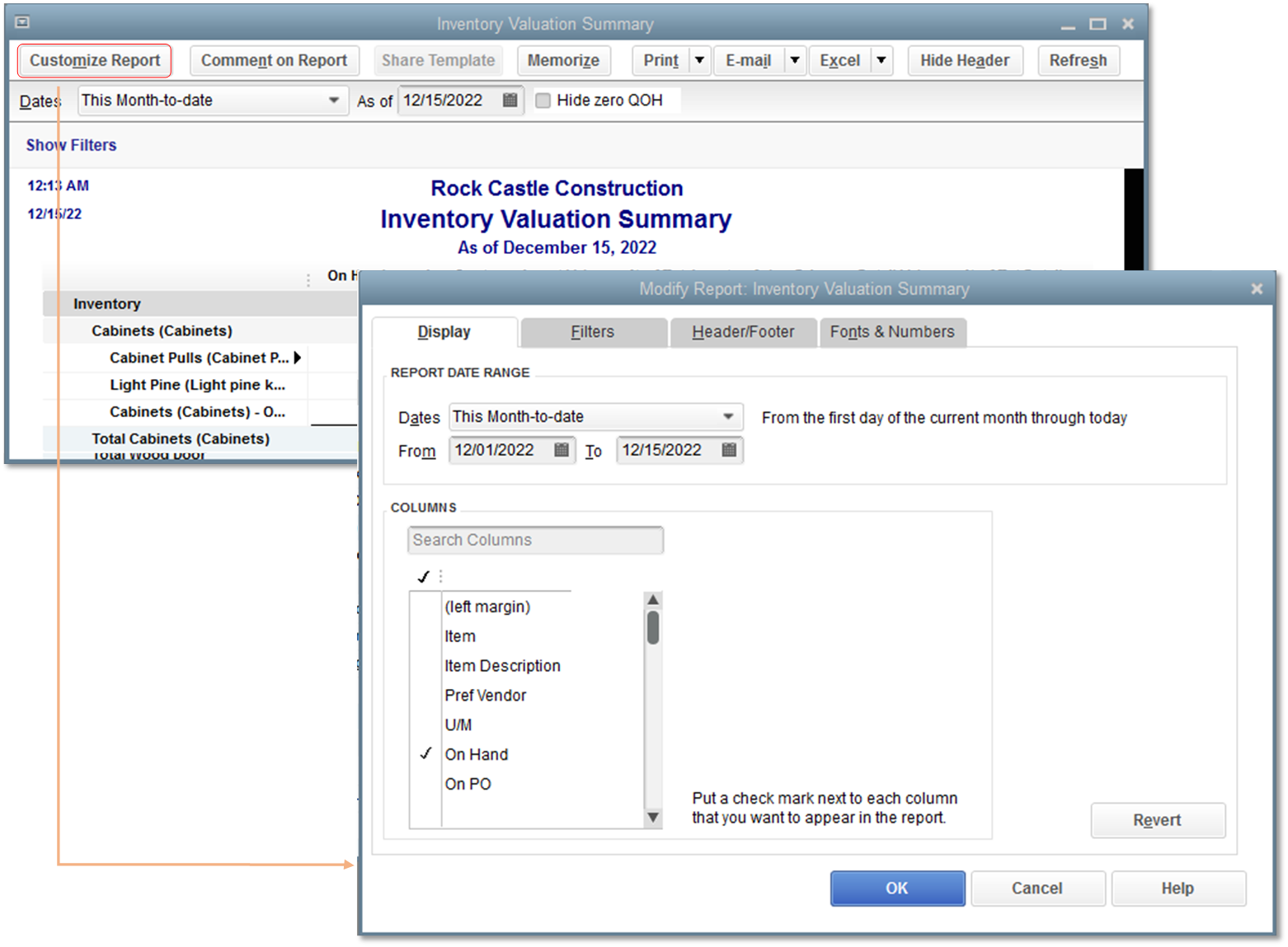
Inventory Reports
Add flexibility and insight to your business with newly customizable inventory reports and get better tracking of your inventory with additional fields.
The three customizable reports are:
- Inventory Valuation Summary
- Inventory Stock Status by Item
- Assembly Shortage (available only in Enterprise)
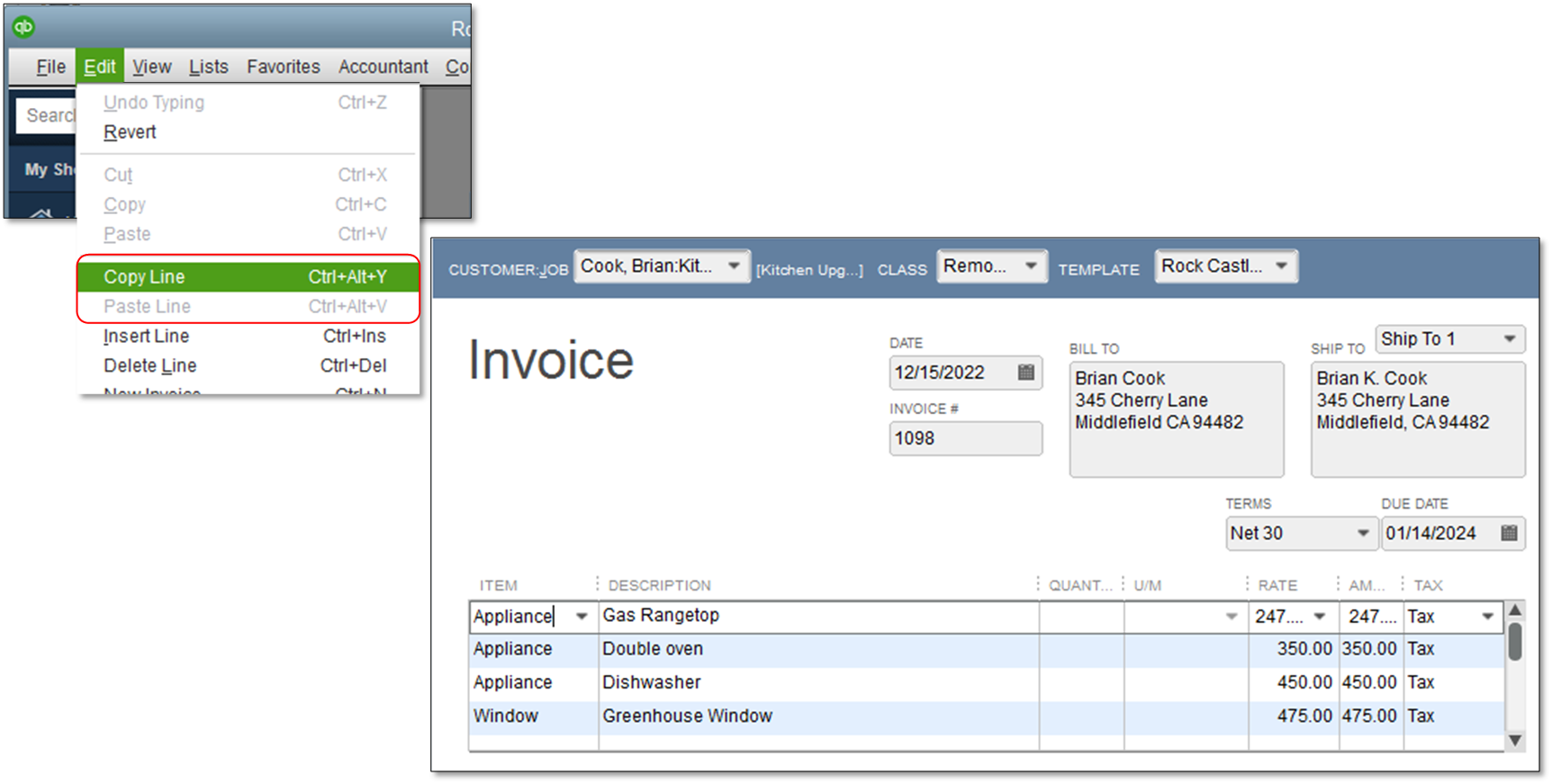
Copy and Paste Line Keyboard shortcuts
Be a lot more efficient by using keyboard shortcuts when copying and pasting lines in an Invoice. Use Ctrl+Alt+Y to copy a line and Ctrl+Alt+V to paste a line on an invoice.
Webmail enhancements
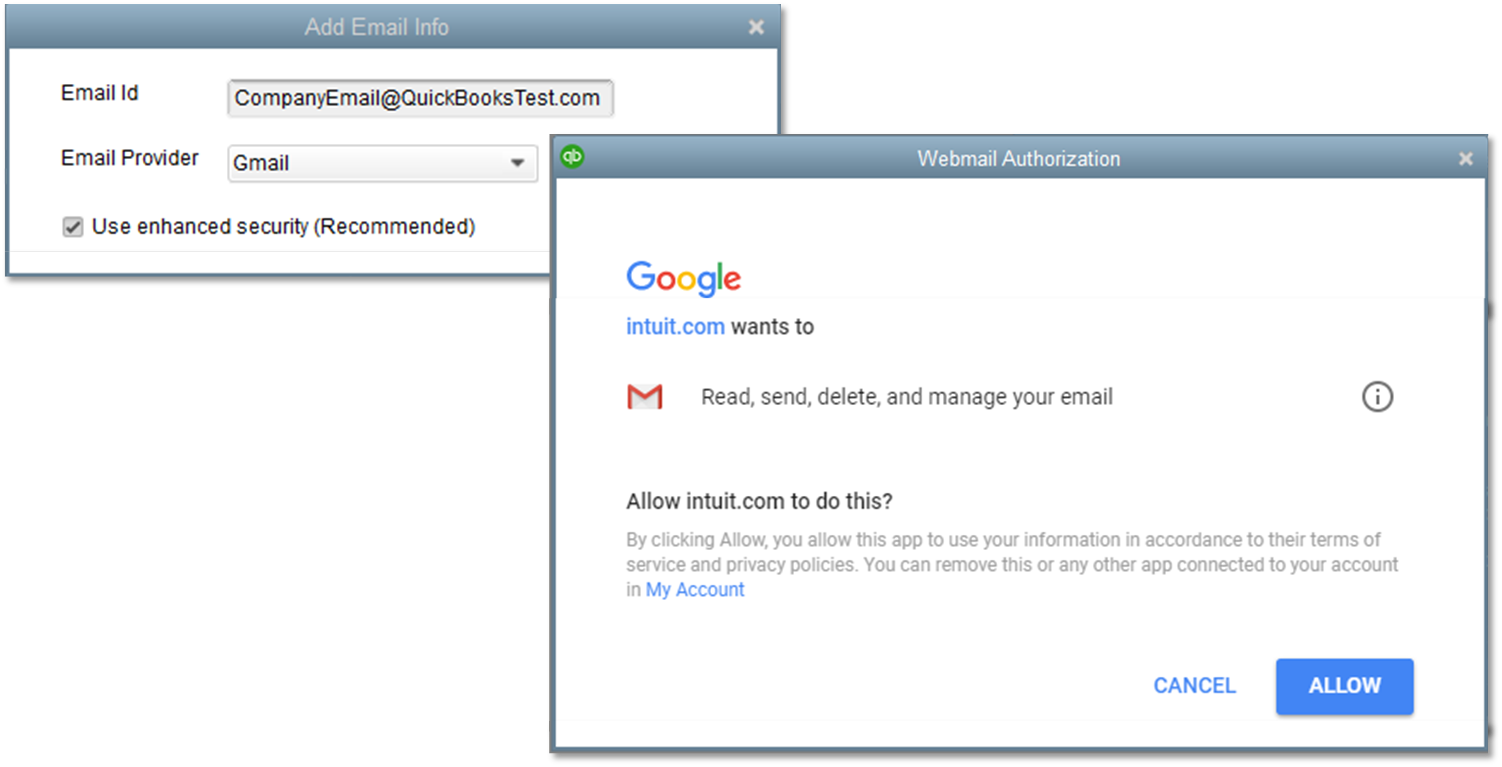
Enjoy the updated security with improved multi-factor authentication when sending emails from Gmail, Outlook, Hotmail and Windows Live through QuickBooks Desktop.
Merge Duplicate Vendors (Premier Accountant)
QuickBooks Desktop Premier Accountant 2018 now allows you to easily merge duplicate vendor names through the new Merge Duplicate Vendors feature which allows you to easily combine up to four vendors, consolidate all transactions to a master vendor and update information as needed.
For steps and requirements to use this feature, refer to Merge duplicate vendors.
QuickBooks Desktop Enterprise
QuickBooks Desktop Enterprise includes all Pro/Prem features and the following enhancements to Advanced Inventory 1 :
Mobile Inventory Barcode Scanning
Speed up the picking process and reduce data entry errors with Mobile Inventory Barcode Scanners. You can send sales orders to workers on the floor, scan inventory within a warehouse, and transfer the data wirelessly. It works across multiple warehouses or anywhere that has an internet connection.
Improved Sales Order Management
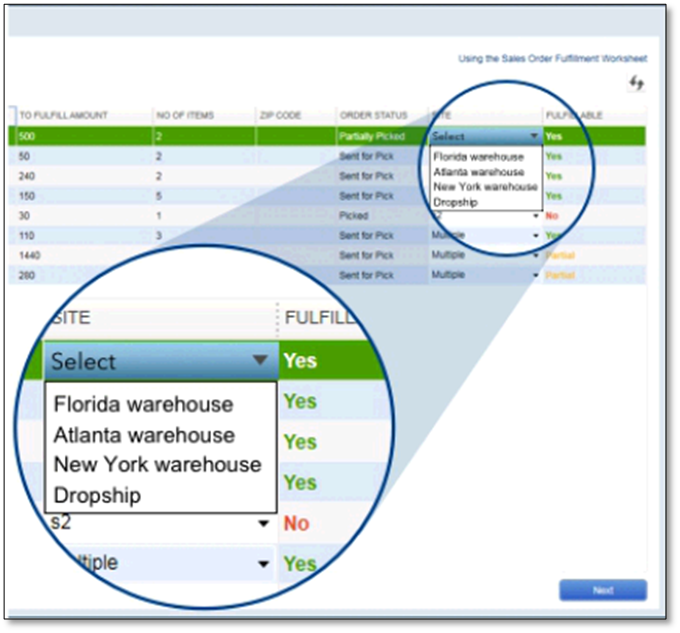
Delight your customers by prioritizing the most urgent sales orders, and empower employees to fulfill orders. View critical information like ship date, inventory availability and value of order. Check on the sales order status in real time.
Inventory Picking
Fulfill sales orders faster with a new picking process. Create customized pick-lists to be completed by warehouse workers across multiple locations, and check on the status in real time. See Warehouse Manager App for Enterprise Solutions for details.
1 These features are only applicable to US customers using Advanced Inventory module available only in QuickBooks Desktop Enterprise Platinum..
QuickBooks Desktop Payroll
QuickBooks Desktop includes the following enhancement to Payroll 2 :
Payroll Liability Reminder on Home Screen
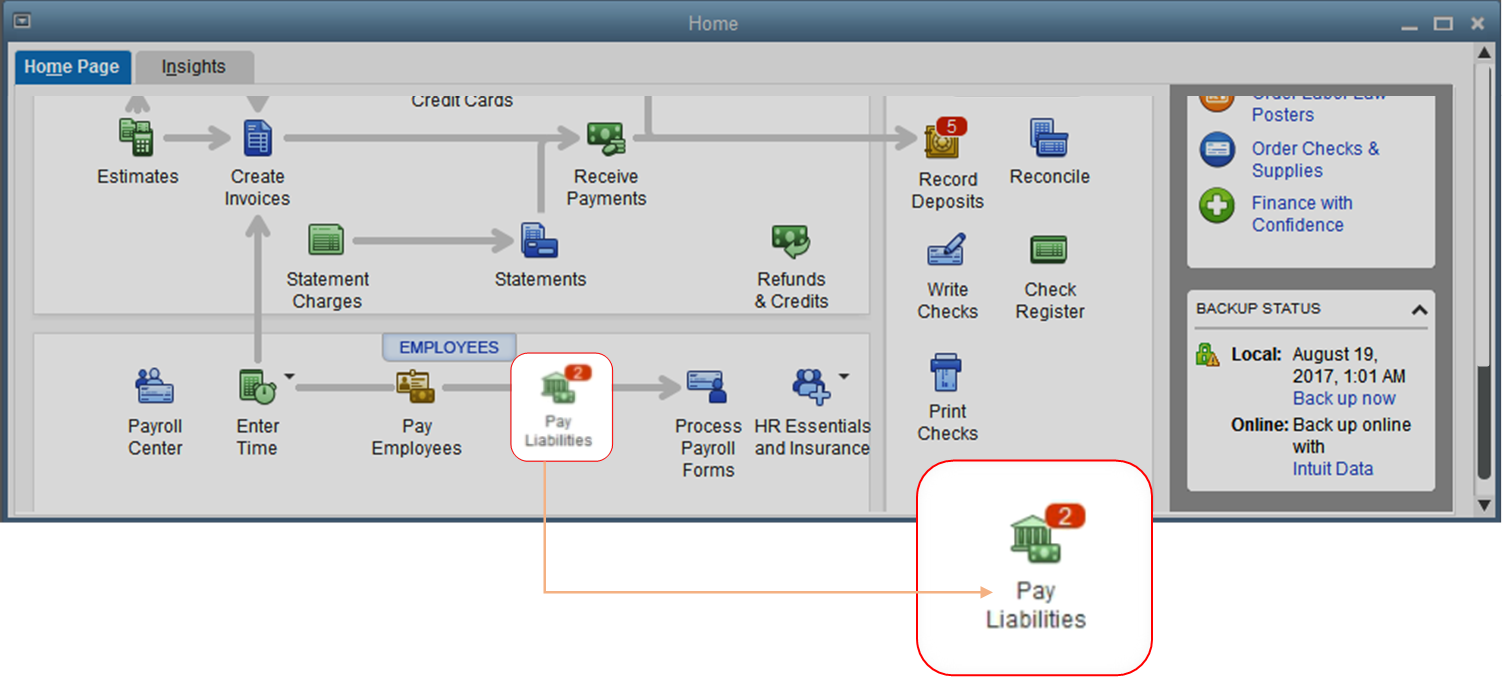
Enjoy increased peace of mind when doing payroll with a Payroll Liability reminder. To help you remember the timing of various payroll liabilities such as federal and state payroll taxes, workers’ comp, and more, a red reminder will now appear on the home screen under Pay Liabilities before they are due. The reminder will now appear 7 days ahead of the due date.
2 This feature is only applicable to US customers with the Enhanced Payroll subscription.

Looking for advice from other business owners?

Can't find your answer?
© 2017 Intuit, Inc. All rights reserved.
Sign in or create an account
To continue your participation in QuickBooks Learn & Support:


Комментариев нет:
Отправить комментарий